Work Demos
Examples of websites, mobile layouts, and practical business tools.
These demos show the types of projects Able Software & Web can build or support. Some examples are full website demos, while others use screenshots or concept layouts to explain how a solution could work for a real small business or nonprofit.
Website Demo
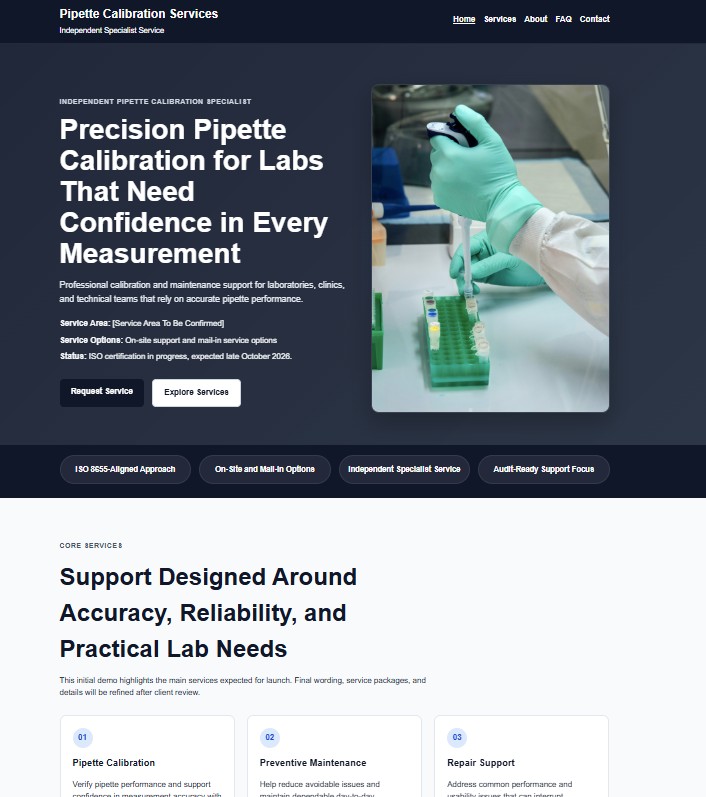
Calibration Business Website Demo
This demo shows how a specialized service business can present its services clearly, explain what it does, and give potential customers a simple path to make contact.
The focus is not on flashy design. The goal is a professional, trustworthy site that works well on phones and helps visitors understand whether the business can meet their needs.
- Service-focused page structure
- Mobile-friendly layout
- Clear contact path
- Professional presentation for a technical service business
This is a demonstration website concept using placeholder business details and no private client information.
Custom Web App Demo
Business Workflow Tool Demo
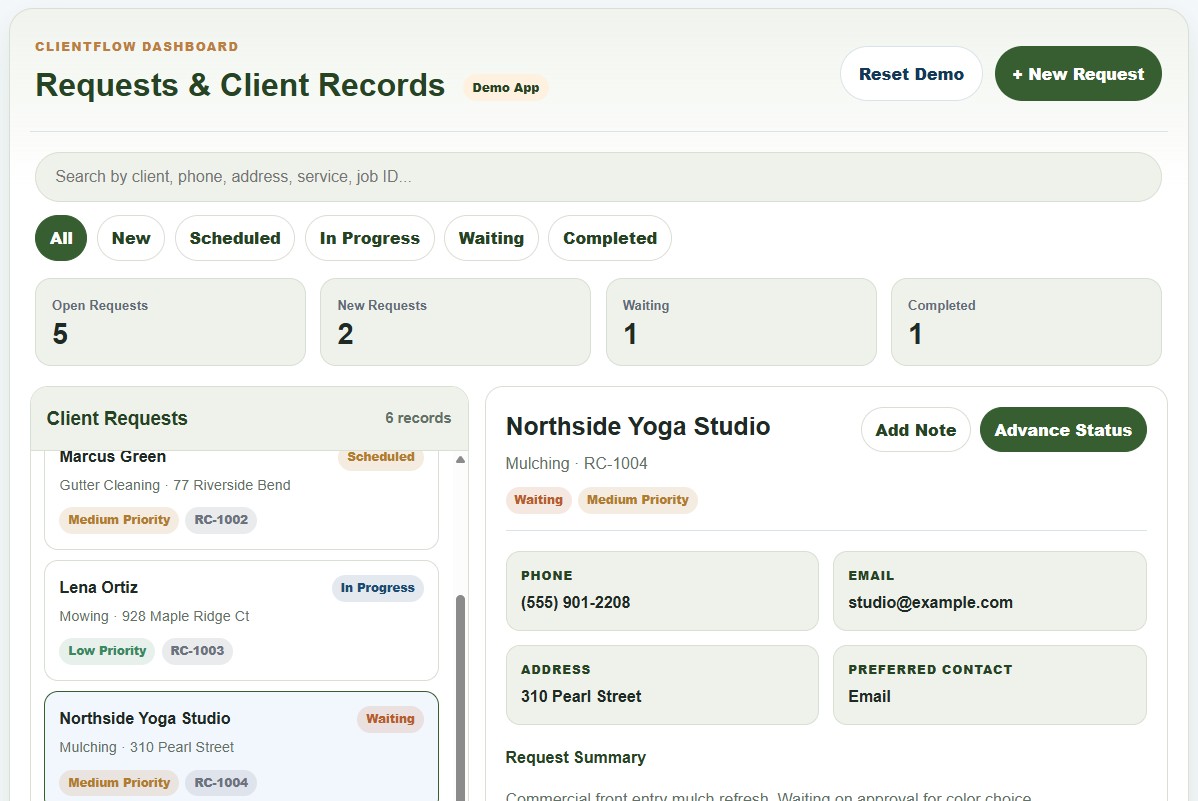
This interactive demo shows how a custom internal web app can help a small business organize client requests, job details, notes, follow-ups, and workflow status in one place.
The demo uses a property service business as the example, but the same structure could be adapted for salons, contractors, nonprofits, repair businesses, consultants, and other client-focused organizations.
- Searchable client and request records
- Status filters for active workflow tracking
- New request intake for phone or web inquiries
- Internal notes and locally saved demo changes
- Custom fields that can match different business needs
This is a frontend demonstration using sample data. A production version could include secure login, database-backed records, reporting, notifications, calendar sync, and other business-specific integrations.
Interactive Demo
Mobile Optimization Demo
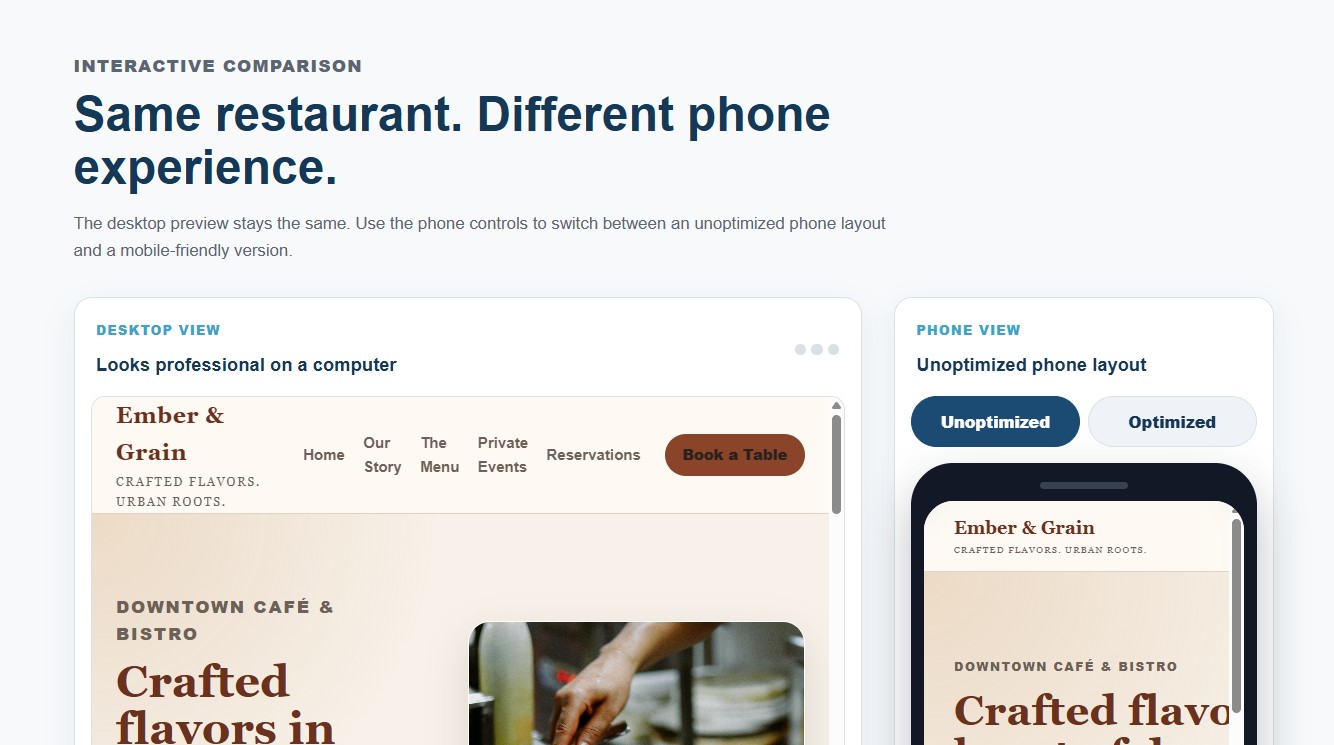
This interactive demo shows how a restaurant website can look polished on a desktop but become difficult to use on a phone when the layout is not optimized.
Compare an unoptimized phone layout with a mobile-friendly version using the same fictional restaurant content.
- Desktop and phone preview comparison
- Unoptimized vs optimized phone toggle
- Clear example of why mobile layout matters
- Built with fictional business content for demonstration
Free Initial Consultation
Have a project that looks similar?
If one of these examples feels close to what your business or nonprofit needs, start with a free initial consultation. We can talk through what you have now, what is missing, and what kind of solution would actually help.